
Overview
What Goalify does
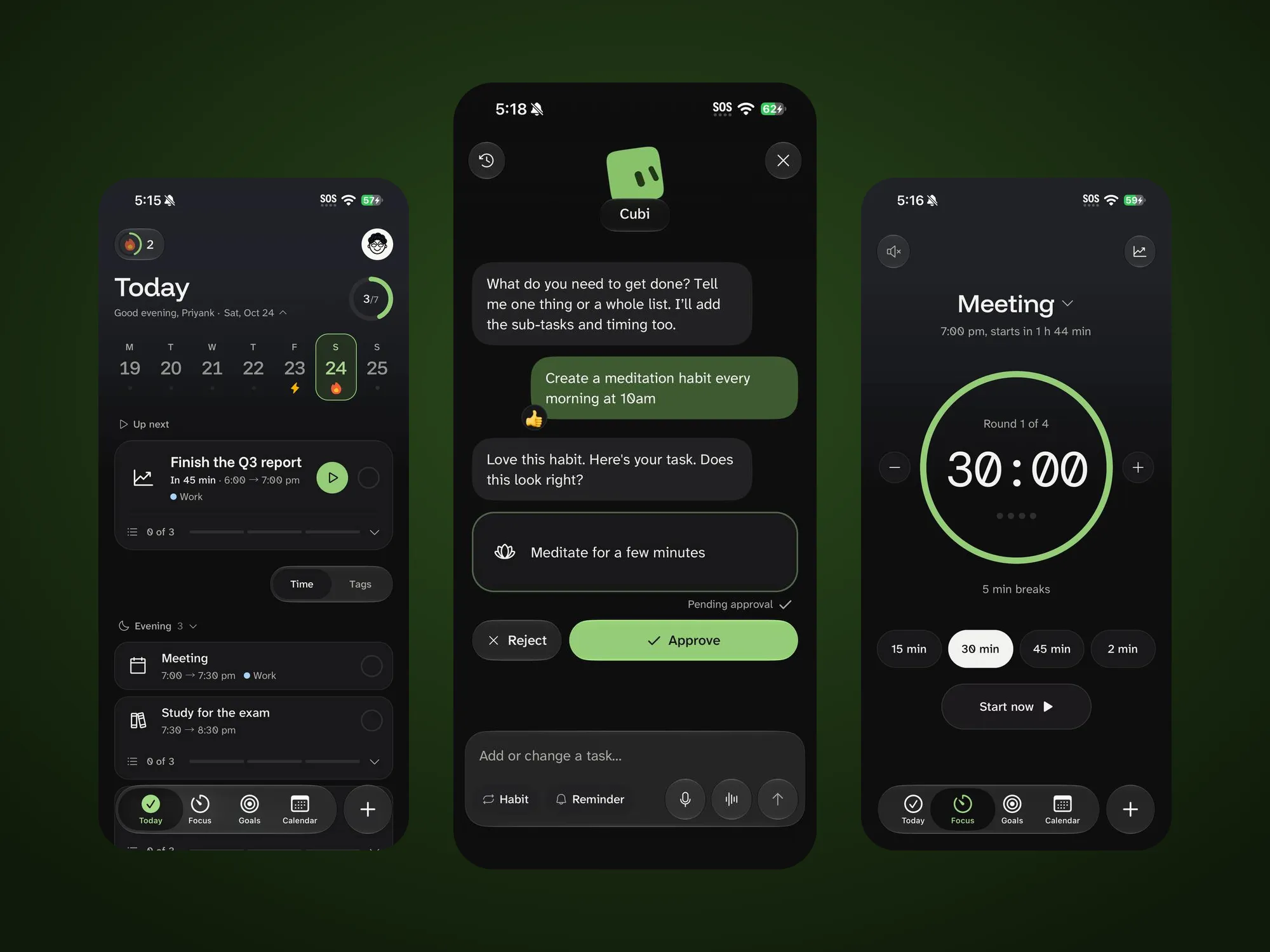
You tell Cubi, Goalify’s AI coach, what’s on your mind. Cubi plans it as small steps with times, and you approve what stays.
I led the product from research to release: the design in Figma, then the build with Claude Code. Goalify is live at goalify.dev.
The problem
Why people give up on planners
- Starting is the hard part. An empty list gives no first step.
- Time blindness. Tasks have no estimates, so a morning plan falls apart by lunch.
- Punishing streaks. One missed day resets weeks of progress, and people stop opening the app.
Competitors
How Goalify compares
| Feature | Goalify | Todoist | TickTick | Structured | Tiimo | Motion |
|---|---|---|---|---|---|---|
| AI breaks a goal into steps | Yes | Yes | No | Yes | Yes | Yes |
| A time estimate on every step | Yes | No | No | Yes | Yes | Yes |
| You approve before AI adds anything | Yes | No | No | No | No | No |
| No lost streaks or "overdue" pressure | Yes | No | No | No | Yes | No |
| Focus timer built in | Yes | No | Yes | No | Yes | No |
| Tasks, habits and calendar in one app | Yes | No | Yes | No | Yes | No |
| Designed with neurodivergent people in mind | Yes | No | No | No | Yes | No |
Based on each app's public features at the time of research.
The opportunity: an AI that does the breaking down, a person who stays in control, and a design that never shames a slow day.
Design decisions
Four decisions behind the design
- AI plans, you approve. Cubi never adds a task on its own, so people stay in control and trust the AI.
- Small steps, each with a time. One move answers both “where do I start” and time blindness.
- Guilt-free by design. No red counts, no “overdue” and no lost streaks. Unfinished tasks quietly roll over.
- Accessible by construction. Contrast, 44 pt tap targets, screen reader labels, Reduce Motion and 130% text are checked on every screen.
Try the core loop:
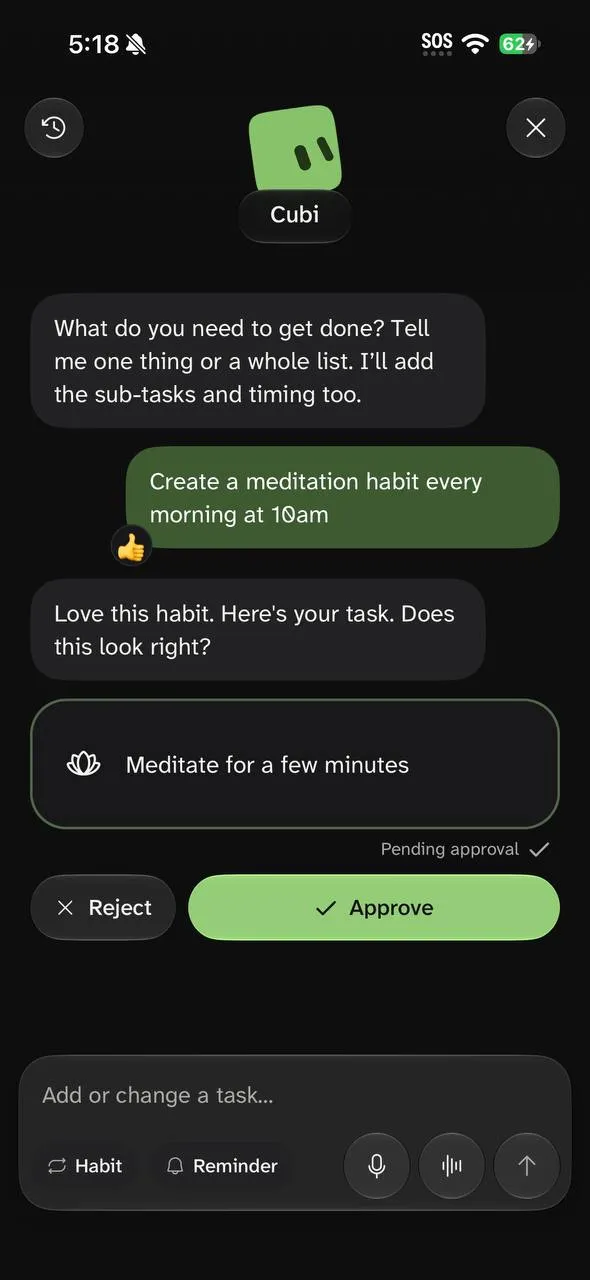
Say it
Talk or type to Cubi the way you would tell a friend. One task or a whole messy list is fine.
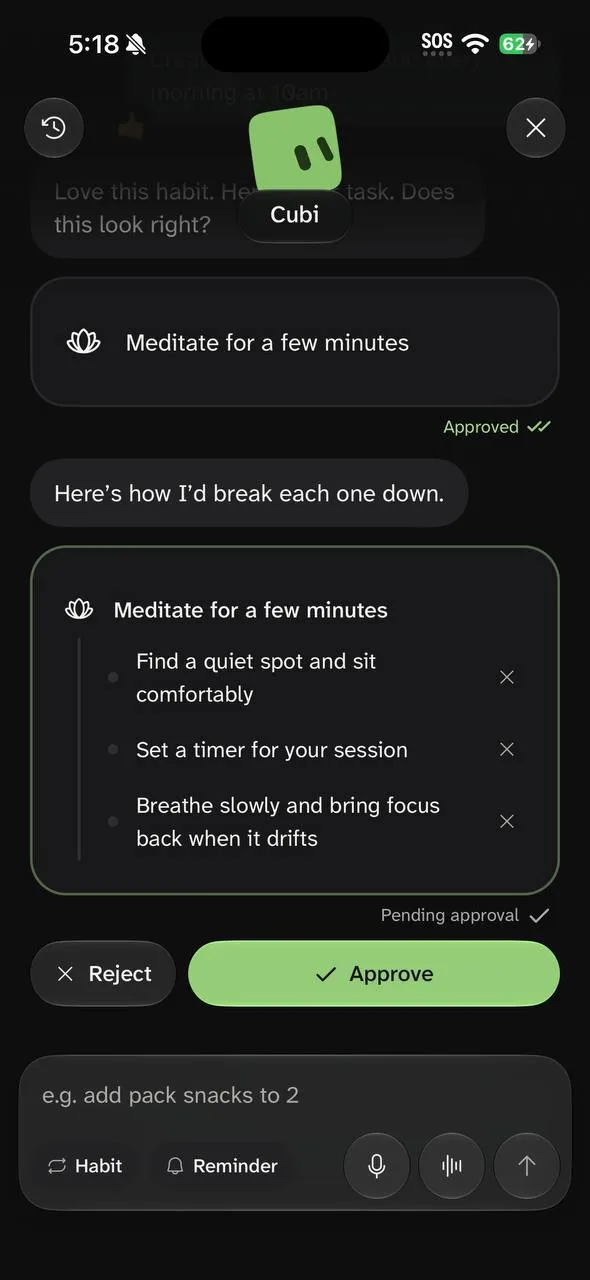
Cubi splits it
Cubi breaks the goal into small steps, each with a time. Nothing is added until you approve it.
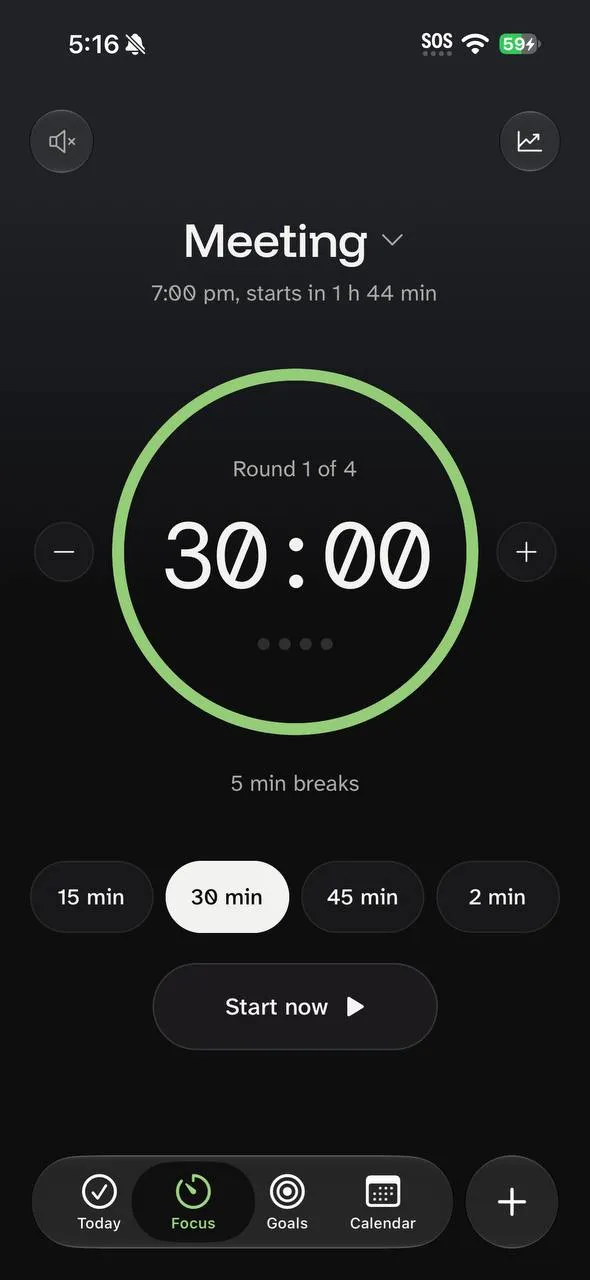
Do it
Start the focus timer, tick the task off when it ends, and keep your streak going.
Design to code
From Figma to the app store in 2 months
Problem framing
Research
Mapped why people abandon planners and compared five popular apps feature by feature.
Figma
Prototype in Figma
Explored the core flows as interactive Figma prototypes and tested them before any code existed.
Figma variables
Build the design system
Defined colours, type, spacing and components as Figma variables and reusable components, mirrored one to one by tokens in code.
Figma MCP · Claude Code
Hand the design to Claude Code
Used the Figma MCP to give Claude Code each frame's exact layout, variables and components, so it built screens from the existing system instead of guessing.
Quality gate
Review against the design
Checked every screen side by side with its Figma frame in light and dark, against a fidelity checklist and automated contrast tests.
Release
Ship one screen at a time
Each screen went out as its own pull request with before and after screenshots, so the app never drifted from the design.
AI did the typing; the design system kept every screen consistent.